The Oculus Rift & Rift S in 2026: The PCVR Legends that Started it All
Explore the legacy of the Oculus Rift and Rift S in 2026. Detailed technical specs, pricing, and a guide to streaming VR content via Microsoft Edge and Chrome.
1. Introduction: The Pioneers of the Modern VR Era
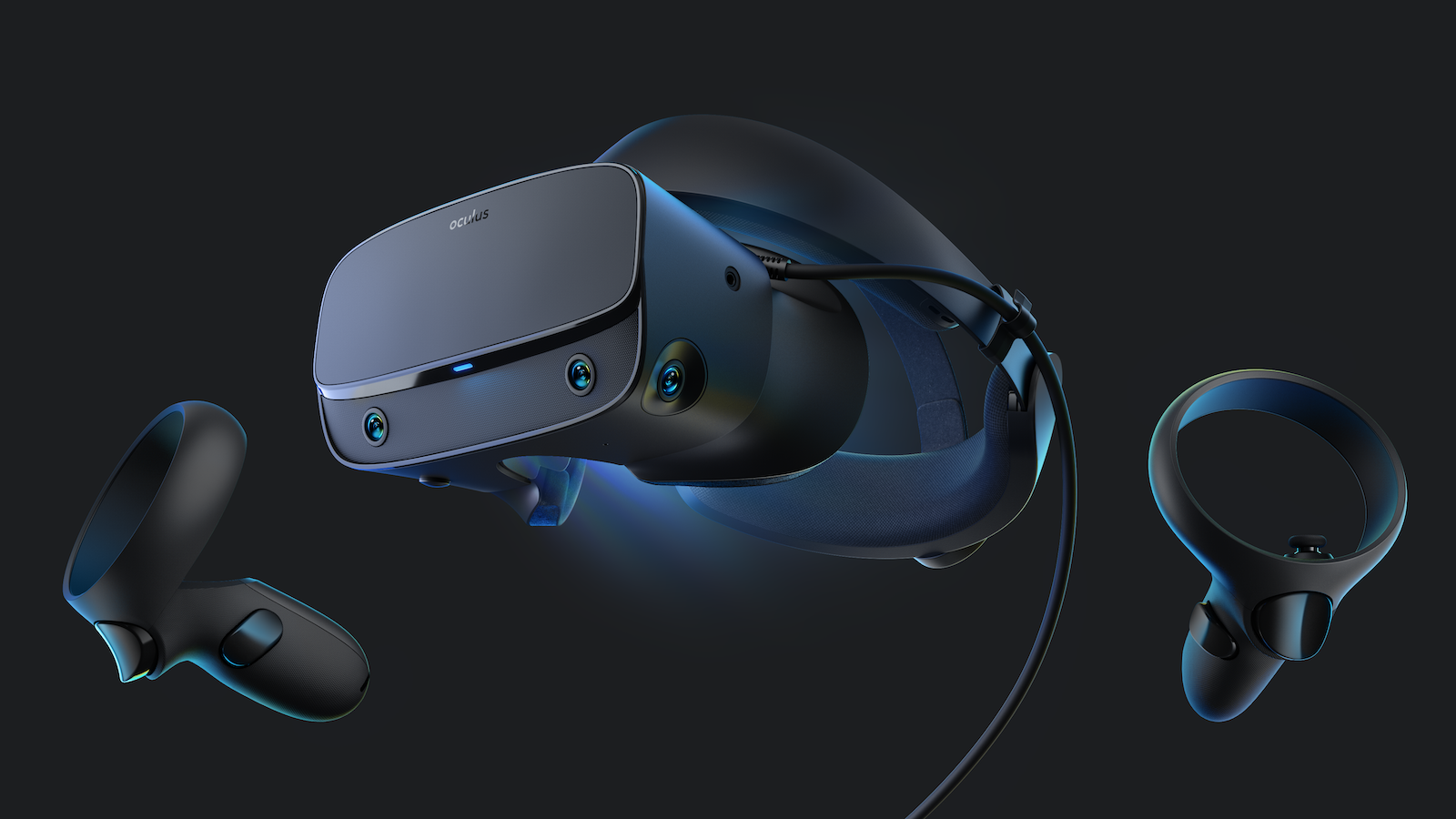
In the history of spatial computing, the Oculus Rift (CV1) and Oculus Rift S are the foundational pillars. While Meta has transitioned its focus entirely to the standalone Quest lineup, the Rift series remains the "purist's choice" for those who want a direct, uncompressed PCVR connection. In 2026, these headsets are prized by enthusiasts for their low latency and comfortable ergonomics, serving as reliable workhorses for PC-tethered simulation and high-fidelity media.
2. Technical Focus: Direct Display vs. Inside-Out Tracking
The Rift lineage represents a major shift in VR technology—moving from external sensors to integrated cameras.
| Feature | Oculus Rift (CV1) | Oculus Rift S |
| Tracking System | External Constellation Sensors | Inside-Out (5 Cameras) |
| Display Type | Dual OLED | Single Fast-Switch LCD |
| Resolution | $1080 \times 1200$ per eye | $1280 \times 1440$ per eye |
| Refresh Rate | 90Hz | 80Hz |
| Optics | Fresnel Lenses | Improved Fresnel (Sharper) |
| Audio | Integrated Over-Ear Headphones | Integrated Pipe Audio |
3. 2026 Market Status & Pricing
In 2026, the Rift series is a "Legacy Platform." You can only find these through second-hand markets, but they remain surprisingly affordable entries into high-end PCVR.
| Model | Status (2026) | Estimated Price (USD) | Best Use Case |
| Oculus Rift S | Legacy Mainstream | $120 - $180 | Budget PCVR / Flight Sims |
| Oculus Rift (CV1) | Legacy / Enthusiast | $80 - $110 | OLED Black Level Lovers |
| Rift S Tether Cable | Rare Accessory | $60 - $90 | Essential for Repair |
4. Pros and Cons: A 2026 Perspective
The Pros
-
Zero Compression: Unlike the Quest 3 via Link, the Rift S uses a direct DisplayPort connection, meaning no video compression artifacts.
-
Comfort: The Rift S "Halo" strap (designed with Lenovo) is still considered one of the most comfortable designs for long-wear sessions.
-
Weight: Both headsets are significantly lighter than modern standalone units because they don't carry an internal battery or processor.
-
Native PCVR Support: Works flawlessly with SteamVR and the Oculus PC App (Legacy Mode).
The Cons
-
Software Deprecation: Meta no longer updates the Oculus PC software with new features; it is essentially in "Maintenance Mode."
-
The Cable: The proprietary tether cables are prone to wear and are becoming expensive and difficult to find in 2026.
-
Resolution: Compared to 2026 standards (4K+ per eye), the screen door effect is more noticeable on these legacy devices.
5. Guide: Streaming and Accessing Content
Even in 2026, the Rift and Rift S are excellent for high-fidelity web-based VR streaming. Follow these steps to use your headset with the https://topvrporn.net platform.
How to Stream VR via Browser:
-
Prepare your PC: Ensure your Oculus PC software is running and your headset is connected.
-
Open Browser: Launch Microsoft Edge or Google Chrome. (Note: Firefox support for WebXR may be limited in 2026).
-
Access Content: Go to the official media portal: https://topvrporn.net
-
Initiate Playback: Browse for a video and click the Play button.
-
Enter VR Mode: On the video player, select the VR Mode Icon (headset icon 🥽).
-
Immerse: Put on your Oculus Rift/Rift S. The desktop browser will automatically hand off the VR feed to the headset.
How to Download Content:
If you want to ensure zero buffering for high-resolution 3D files:
-
Open any web browser on your PC.
-
Download: Navigate to https://topvrporn.net and click the Download button on your preferred file.
-
Play: Use a PCVR media player (like Skybox VR or DeoVR) to open the local file for the best quality.
6. Summary: The 2026 Verdict
The Oculus Rift and Rift S may be older, but they are far from obsolete. In 2026, they serve as the perfect "entry-level" kits for users who want to experience the power of PC-based VR without the overhead or latency of wireless streaming. If you can find a unit in good condition with a working cable, it remains a fantastic way to enjoy the massive library of PCVR content.