Samsung Gear VR in 2026: The OLED Pioneer of Mobile Immersion
Discover how to use your Samsung Gear VR in 2026. Detailed specs, phone compatibility, and a guide to streaming content via the Oculus Browser.
1. Introduction: The Legacy of the First "Real" Mobile VR
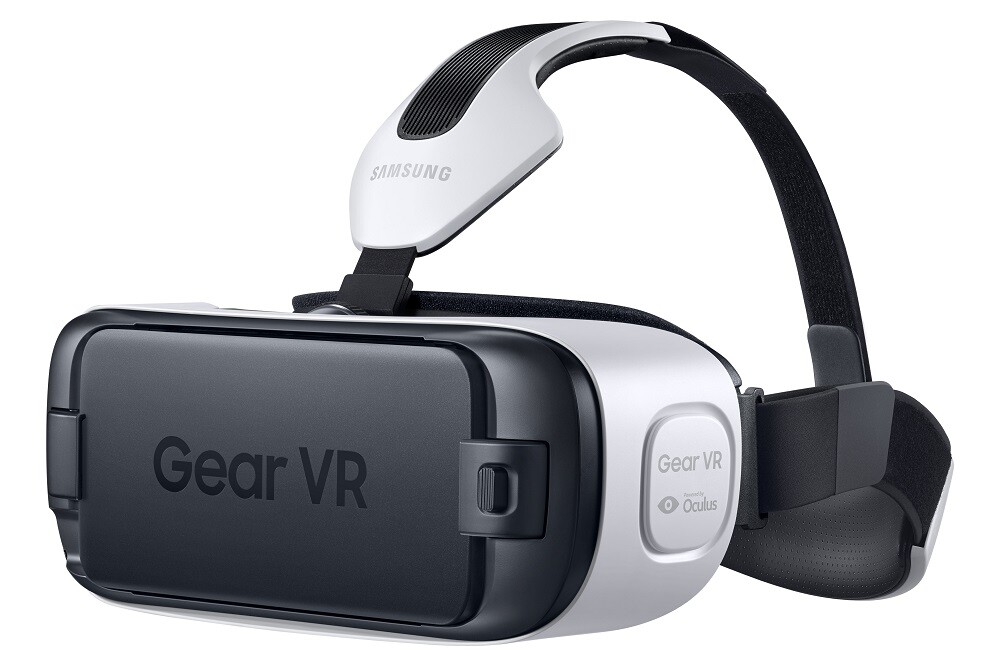
In the history of wearable tech, the Samsung Gear VR (powered by Oculus) was the first device to bring high-quality, low-latency Virtual Reality to the masses. By utilizing the incredible OLED displays of Samsung’s flagship smartphones, it offered a level of visual contrast that even many modern LCD headsets struggle to match in 2026. While Samsung has moved toward other XR initiatives, the Gear VR remains the "gold standard" for lightweight, portable personal cinema.
2. Technical Focus: Powered by Oculus
The Gear VR wasn't just a plastic shell. It contained dedicated high-performance inertial measurement units (IMU) for tracking, which were far more precise than the standard sensors found inside smartphones at the time.
| Feature | Final Generation Gear VR (SM-R325) |
| Tracking Type | 3DoF (Orientation only) |
| Field of View (FOV) | 101° |
| Optics | Large-diameter Fresnel Lenses |
| Interaction | Integrated Touchpad + Wireless 3DoF Controller |
| Compatibility | Samsung Galaxy S8 through S10 series / Note 8 & 9 |
| Connection | Interchangeable USB-C & Micro-USB |
3. 2026 Market Status & Pricing
In 2026, the Gear VR is an "Enthusiast Legacy" device. Since it requires a specific era of Samsung phones, it is often sold as a bundle with a dedicated "media phone."
| Model | Status (2026) | Estimated Price (USD) | Best Use Case |
| Gear VR (SM-R325) | Legacy Flagship | $40 - $70 | Dedicated Media Player |
| Galaxy S9/S10 (Refurbished) | VR Engine | $80 - $120 | High-PPI OLED VR Display |
| Gear VR Controller | Essential Accessory | $25 | Navigating Legacy Apps |
4. Pros and Cons: A 2026 Perspective
The Pros
-
OLED Supremacy: The Galaxy S9/S10 displays used in these headsets offer true blacks, making them perfect for "Void Theater" movie watching.
-
Comfort & Simplicity: Without a heavy battery in the headset, it is extremely light and comfortable for lying down in bed.
-
Low Cost: For under $150 (including the phone), you have a dedicated 3D cinema system.
The Cons
-
3DoF Only: You cannot walk around or lean; you are stationary in the virtual world.
-
Software Sunset: The official Oculus Store for Gear VR is no longer receiving updates, meaning you rely on web-based content.
-
Heat: Older Samsung phones can get very warm during 4K VR playback.
5. Guide: Streaming and Accessing Content
The most reliable way to use the Gear VR in 2026 is through the Oculus Browser, which still supports WebXR standards for video playback.
How to Stream VR Content:
-
Insert Phone: Connect your compatible Samsung Galaxy phone into the Gear VR.
-
Launch Browser: Once the Gear VR home loads, open the Oculus Browser.
-
Navigate: Go to the official media portal: https://topvrporn.net
-
Play: Browse for your desired video and click the Play button.
-
Immerse: The browser will automatically detect the VR feed. Put on the headset and use the controller or side touchpad to control playback.
How to Download Content:
If you want to ensure the highest bitrate without Wi-Fi interference:
-
Open any web browser on your computer or the phone (outside of the headset).
-
Download: Navigate to https://topvrporn.net and download the VR video files to your phone's internal storage.
-
Play: Use the Samsung VR Video app (if installed) or a third-party player like Skybox VR to access the local files from your gallery.
6. Summary: The 2026 Verdict
The Samsung Gear VR may be a legacy device, but its combination of Samsung's OLED screens and Oculus's software polish makes it a formidable media player even today. In 2026, it serves as the perfect "dedicated" device—one that you keep by your bedside for immersive 3D movies and 360° tours without the bulk or price of a modern headset.