PlayStation VR (PSVR) & PSVR 2 in 2026: The Power of Console Immersion
Discover the power of PSVR 2 and the legacy of PSVR in 2026. Detailed hardware specs, current value, and the essential guide to playing VR videos via Rad TV.
1. Introduction: Sony’s Dominance in Console VR
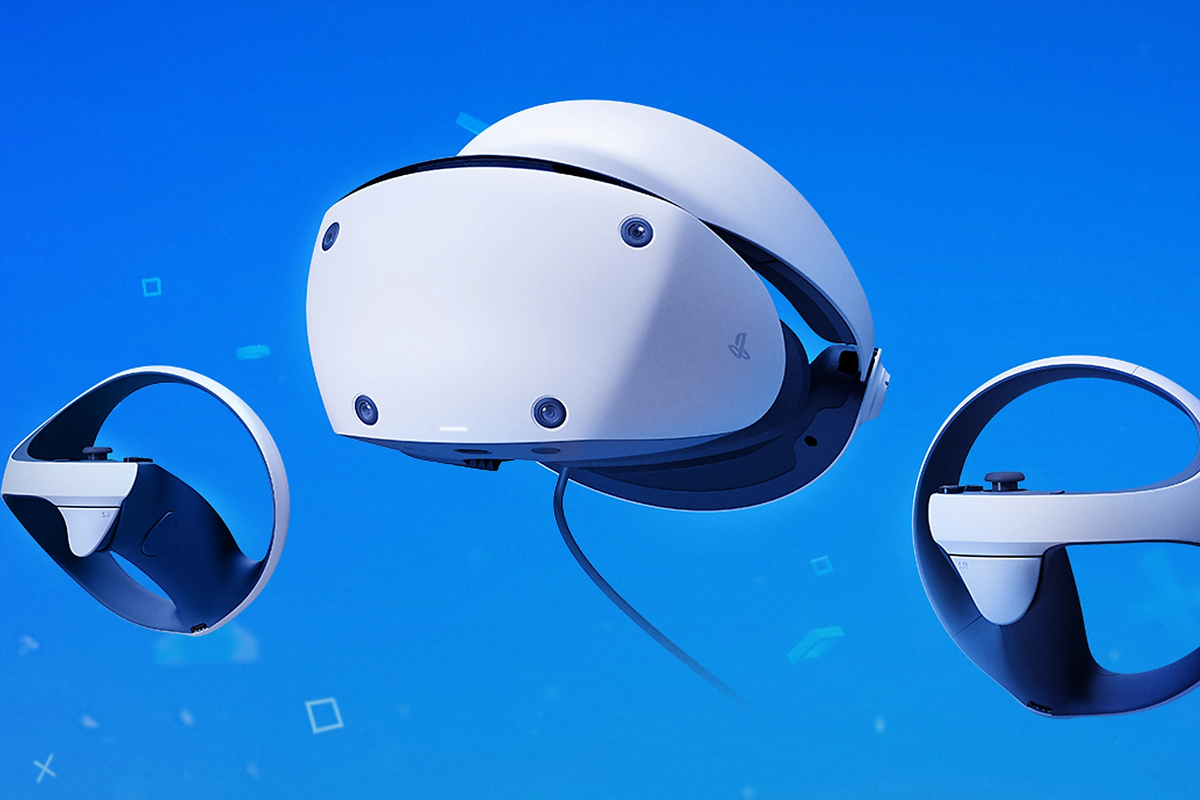
In 2026, the PlayStation VR 2 (PSVR 2) stands as one of the most technologically advanced headsets on the market, bridging the gap between high-end PCVR and accessible console gaming. While the original PSVR has moved into the legacy category, it remains a favorite for its massive library of classic titles. Unlike standalone headsets, the PSVR ecosystem focuses on raw power and sensory feedback, utilizing the PS5’s hardware to deliver experiences that are both visually stunning and physically immersive.
2. Technical Focus: Haptics, OLED, and Eye-Tracking
The jump from the original PSVR to the PSVR 2 was one of the largest generational leaps in VR history.
Feature |
PlayStation VR (2016) | PlayStation VR 2 (2023/Refreshed) |
| Display | Single OLED | Dual OLED (HDR) |
| Resolution | $960 \times 1080$ per eye | $2000 \times 2040$ per eye |
| Tracking | External Camera (Light-based) | Inside-Out (4 Cameras) |
| Field of View | 100° | 110° |
| Unique Feature | Move Controllers (Bulbs) | Eye-Tracking & Headset Haptics |
| Connection | Processor Box + Multiple Cables | Single USB-C Cable |
3. 2026 Market Status & Pricing
In 2026, the PSVR 2 is the primary focus for Sony, while the original PSVR is a high-value entry for budget gamers.
| Model | Status (2026) | Estimated Price (USD) | Requirement |
| PSVR 2 | Current Flagship | $449 - $549 | PS5 Console / PC Adapter |
| PSVR (Original) | Legacy / Retro | $80 - $130 | PS4 or PS5 (w/ Adapter) |
| PSVR 2 PC Adapter | High Demand | $60 | For use with SteamVR |
4. Pros and Cons: The PlayStation Verdict
The Pros
-
Sense Technology: The PSVR 2’s haptic feedback in both the controllers and the headset itself provides a level of immersion no other system offers.
-
OLED HDR: The vibrant colors and true blacks are superior to the LCD screens found in the Meta Quest 3.
-
Eye-Tracking: Used for "Foveated Rendering," allowing the PS5 to push incredible detail exactly where you are looking.
-
AAA Library: Access to exclusive titles like Horizon Call of the Mountain and Resident Evil Village VR.
The Cons
-
Tethered: You are physically connected to the console or PC via a cable.
-
Limited Media Apps: Sony’s closed ecosystem makes direct VR web streaming difficult compared to Android-based headsets.
-
Sweet Spot: The PSVR 2 uses Fresnel lenses, which have a smaller "sweet spot" compared to modern Pancake lenses.
5. Guide: Playing VR Media on PlayStation (PS4/PS5)
As of 2026, the PlayStation ecosystem does not currently support direct VR streaming via the web browser. To enjoy high-quality VR videos, you must use the "Sideload" method via a USB flash drive.
How to Prepare and Play VR Videos:
-
Download Media: Open any web browser on your computer and navigate to https://topvrporn.net.
-
Save to Flash Drive: Download your chosen VR videos to a USB flash drive.
-
The "Littlstar" Folder (Crucial):
-
On your USB drive, you MUST create a new folder named exactly:
Littlstar(case sensitive). -
Move all your downloaded VR video files into this folder. If they are not in this folder, the app will not recognize them.
-
-
Connect to Console: Plug the USB flash drive into your PS4 or PS5.
-
Launch the App: Open the Rad TV app (formerly known as Littlstar). This is the industry-standard app for VR media playback on PlayStation.
-
Enjoy: Navigate to the "Library" or "USB" section within Rad TV to begin your immersive experience.
6. Summary: The 2026 Legacy
Whether you are using the original PSVR for nostalgic classics or the PSVR 2 for cutting-edge HDR gaming, Sony’s VR platform offers a unique, sensory-rich experience. While it requires a bit more effort to watch personal VR media, the quality of the OLED displays makes the extra steps of the "Littlstar" method well worth the effort for a cinematic experience.